Understanding Selfie Mosaic and Its Appeal
What is a selfie mosaic?
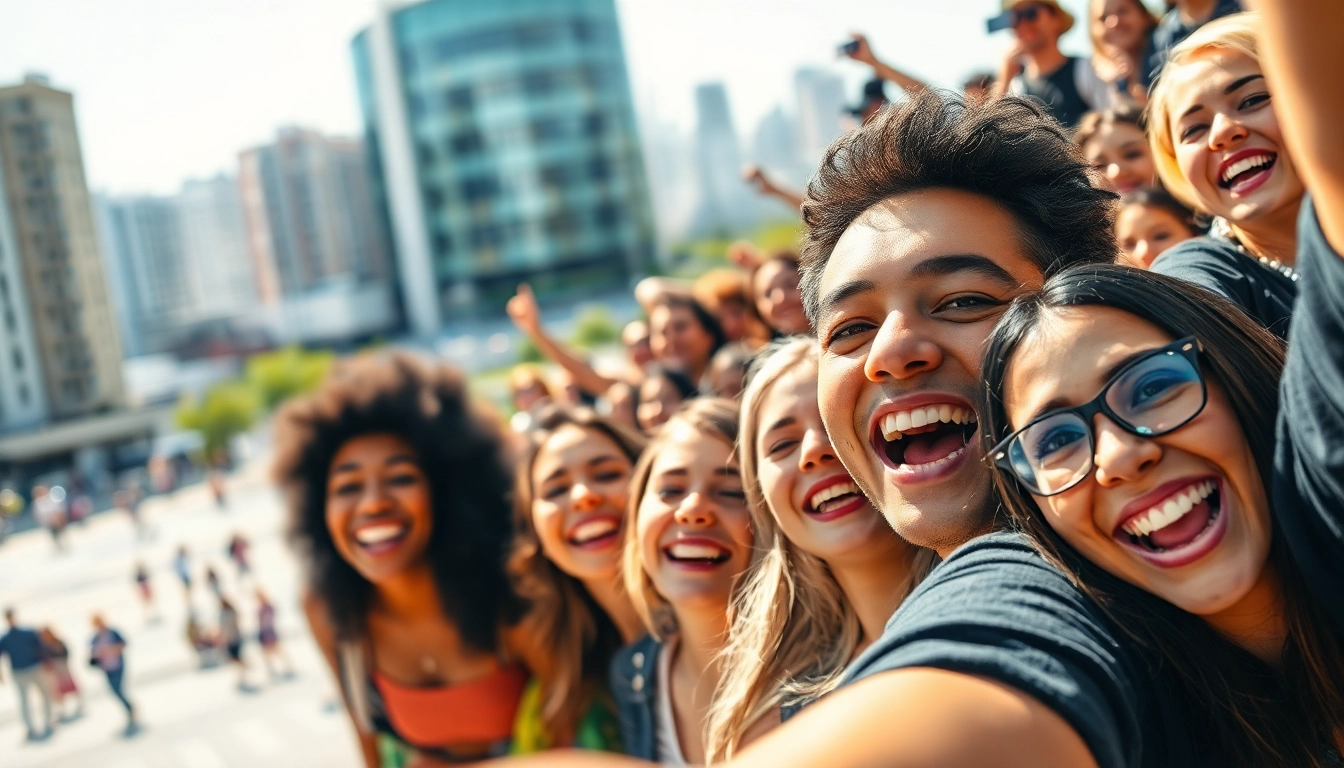
A selfie mosaic is a captivating art form that transforms individual selfies into a larger image or design, creating a visually stunning collage. Each small photo contributes to the overall picture, revealing unique images that together form a coherent visual representation. This technique can range from simple arrangements to complex designs featuring multiple themes, colors, or messages, making it an expressive medium for personal and professional storytelling.
Primary benefits of using a selfie mosaic
There are numerous benefits to utilizing a selfie mosaic. Firstly, they foster a sense of community; gathering images from friends, family, or a social group can create a shared memory. Moreover, selfie mosaics are visually appealing and can serve as standout decorations in homes or office spaces. They also provide an opportunity for creativity and personalization since they allow users to showcase their unique style through photo selection, layout, and incorporated themes.
Applications for personal and professional use
Selfie mosaics are versatile and can be employed in various contexts. Personally, they make excellent gifts, unique decorations for events (like weddings or milestone celebrations), or mementos encapsulating special experiences. Professionally, they can aid in marketing campaigns by visually summarizing customer interactions with a product or brand, create impactful social media content, or even be used in team-building exercises to strengthen connections among employees.
How to Create Your Selfie Mosaic
Selecting the right photos for your selfie mosaic
The effectiveness of a selfie mosaic largely hinges on the photos chosen. Start by selecting images that are bright, well-lit, and encapsulate specific emotions or moments meaningful to you or your audience. Opt for a mix of close-up selfies and wider shots that include diverse backgrounds and expressions. This variety not only enhances visual appeal but also adds depth to the mosaic's narrative.
Choosing the best tools and software for mosaic creation
Creating a selfie mosaic is easier than one might think, thanks to numerous online tools and software designed for this purpose. Popular options include tools like Canva, which offers user-friendly templates and intuitive design features, and Mosaic Maker, specifically designed for mosaic creation. Alternatively, for those seeking more advanced customization, software like Adobe Photoshop provides greater control over the artistic process, albeit with a steeper learning curve.
Step-by-step guide to designing your mosaic
- Gather Your Photos: Collect all the selfies you plan to use. It's helpful to sort them into a folder for easy access.
- Choose Your Software: Decide which tool best meets your needs, based on user-friendliness or customization level.
- Upload your Photos: Follow the software's instructions to upload your selected images, ensuring you're adhering to any size requirements.
- Select the Layout: Many applications provide different layouts. Choose one that complements the overall feel you want to convey.
- Adjust and Edit: Fine-tune your photos' arrangement, spacing, and color balance to better fit your artistic vision.
- Preview and Export: Before finalizing, review your mosaic in its entirety to ensure satisfaction. Once completed, save or export your creation as necessary.
Tips for Enhancing Your Selfie Mosaic
Color palettes and themes for mosaics
Choosing a color palette is crucial for enhancing your selfie mosaic's coherence. Consider selecting a primary theme such as monochrome, pastel, or vibrant colors that resonate with the event or sentiment showcased. Additionally, harmonizing the images within tiles will create a smoother visual transition and strengthen the mosaic's overall impact. Tools often feature filters to help adjust colors, fostering a cohesive aesthetic.
Incorporating meaningful quotes or messages
Integrating quotes or messages into your selfie mosaic can amplify its emotional resonance. Whether it's a popular saying or a personal mantra, words can serve as an anchor point for viewers, drawing attention to the theme of the mosaic. Position the text strategically— overlaying it on images or creating separate text boxes depending on the composition for maximum effect.
Adjusting layout and spacing for visual impact
The layout and spacing of your images can considerably influence the visual appeal of your mosaic. A grid layout conveys order and structure, while an organic arrangement can evoke freedom and creativity. Adjusting spacing helps to ease the eye's transition between images, so be diverse yet intentional; allowing breathing room can enhance visual impact significantly.
Sharing Your Selfie Mosaic
Best platforms for sharing your mosaic
Once your selfie mosaic is complete, it's time to share it with the world! Social media platforms are ideal for this, particularly Instagram, which thrives on visual content. Other excellent options include Facebook for family and friend sharing, and Pinterest for reaching a broader audience of creative enthusiasts. Consider utilizing platforms like TikTok to create engaging videos that showcase the process of creating the mosaic.
Engaging your audience with interactive showcases
Interactivity can elevate your mosaic from a simple image to a dynamic experience. Consider creating polls or quizzes based on the images within the mosaic, inviting viewers to guess the stories behind certain selfies or engage in challenges related to themes. This approach fosters engagement and encourages community participation, transforming an art piece into a collective conversation piece.
Using hashtags effectively
Utilizing hashtags can enhance the reach of your selfie mosaic across social media platforms. Employ trending hashtags related to photography (#SelfieMosaic, #CreativeArt) alongside niche tags that directly relate to your intended audience, like #FamilyMemories or #EventCelebration. This combination will boost visibility and draw in diverse viewers interested in similar content.
FAQs About Selfie Mosaic
How can I choose the best photos for my mosaic?
Select images that are bright and clear, representing moments or feelings to convey. A variety of expressions and backgrounds will enhance the visual appeal of your selfie mosaic.
What tools can I use to create a selfie mosaic?
Tools like Canva, Mosaic Maker, or photo editing software like Photoshop offer user-friendly options for creating selfie mosaics with templates and custom designs.
Can I create a selfie mosaic for a group event?
Definitely! Collect selfies from participants and compile them into a selfie mosaic that reflects the shared experiences of the event.
How can I use a selfie mosaic in marketing?
Use a selfie mosaic as a creative visual element in campaigns, social media posts, or your website to engage your audience and promote community involvement.
Are there any copyright issues with using selfies?
Ensure you have permission to use all selfies included in your selfie mosaic, especially for commercial use. Always credit where necessary.